ClipDrop is an easy-to-use AI-powered tool that allows users to adjust photo aspect ratios by expanding and transforming backgrounds. With this innovative software, photos can be "uncropped" to any desired format, giving new life to portraits and enabling stunning compositions. Users can upload images through clicks, pasting, or dragging and dropping files, and the tool generates images that match the selected aspect ratio while extending backgrounds. ClipDrop also offers additional image processing tools like background remover and image upscaler. Whether you're a beginner or a professional, the user-friendly interface provides precise and efficient editing features. Signing up for an account on ClipDrop's website gives access to the tool and its various features. Additionally, the tool offers pricing options for both personal and commercial use, along with an API for more customization. With ClipDrop's AI technology, users can effortlessly uncrop photos and create high-resolution realistic images.
Uncrop
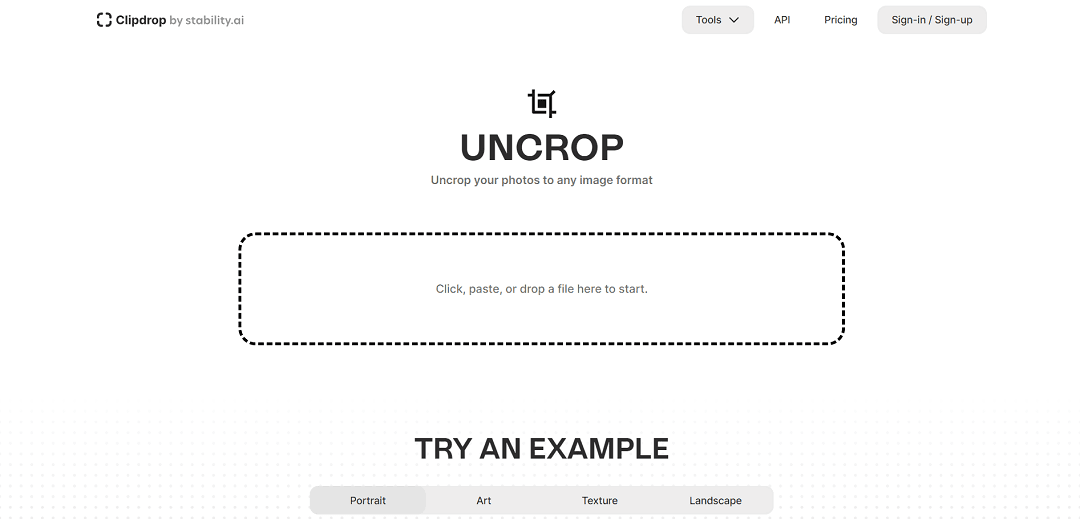
ClipDrop is an easy-to-use AI-powered tool that allows users to adjust photo aspect ratios by expanding and transforming backgrounds. With this innovative software, photos can be "uncropped" to any desired format, giving new life to portraits and enabling stunning compositions. Users can upload images through clicks, pasting, or dragging and dropping files, and the tool generates images that match the selected aspect ratio while extending backgrounds. ClipDrop also offers additional image processing tools like background remover and image upscaler. Whether you're a beginner or a professional, the user-friendly interface provides precise and efficient editing features. Signing up for an account on ClipDrop's website gives access to the tool and its various features. Additionally, the tool offers pricing options for both personal and commercial use, along with an API for more customization. With ClipDrop's AI technology, users can effortlessly uncrop photos and create high-resolution realistic images.
This page is meant to help with selection, not just discovery. Use it to decide whether the tool fits the workflow, what to compare next, and whether it deserves a real trial.
WhisperAiML take
These notes are here to make the page more useful as a buying and comparison surface.
Best fit
Use Uncrop when the main need is extensions and you want a tool-specific page instead of a generic directory listing.
WhisperAiML take
ClipDrop is an easy-to-use AI-powered tool that allows users to adjust photo aspect ratios by expanding and transforming backgrounds. With this innovative software, photos can b…
What to compare next
Compare Uncrop against EasySource 2.0 and Walles.AI before deciding on price, setup speed, and workflow fit.
Related guides for this app category
Move from tool discovery into the evergreen explainers that help evaluate where this app fits, what workflow it supports, and what to compare it against.
Useful for design, image, visual generation, and creative-tool coverage.
Useful when the page is really about support operations, grounded assistants, or vendor selection.
Useful when the page should lead to a more defensible evaluation framework instead of a loose product roundup.