.jpeg&w=3840&q=75)
Google Tag Manager is like a magic toolbox for website owners and marketers. It lets you add, update, and manage various tracking codes and tags on your site without diving into complicated code. Instead of tinkering with your site's HTML, you just need to insert a single code snippet.
From tracking visitors to analyzing user behaviour, Google Tag Manager helps you keep tabs on your site's performance and understand what's working and what's not. It's a time-saver, making it easy to deploy analytics, conversion tracking, and other essential tools.
Below is the step-by-step guide by which you can easily integrate chatbots using google tag manager
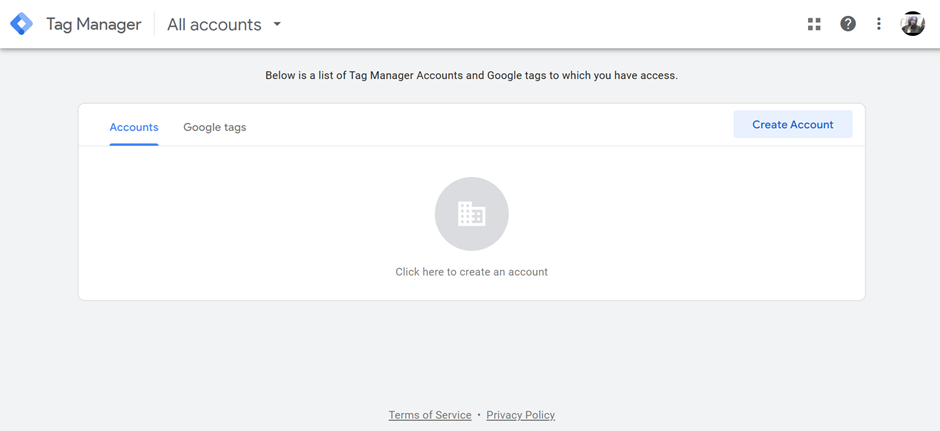
Step 1: Create an account with Google Tag Manager
If you haven't already, sign in to your Google Tag Manager account or create one at https://tagmanager.google.com
Why this page is commercially useful
These notes frame the article as a decision page, not just a background explainer.
Why this guide matters
Google Tag Manager is like a magic toolbox for website owners and marketers. It lets you add, update, and manage various tracking codes and tags on your site without diving into…
Best for
Start here if you are trying to understand chatbots before choosing specific tools or vendors.
Next action
Use the related app links below to turn the guide into an actual tool comparison instead of stopping at theory.
Relevant AI apps to evaluate next
These app pages give readers a practical follow-on step after the guide: compare the tools that fit the workflow described above.
.png&w=3840&q=75)