
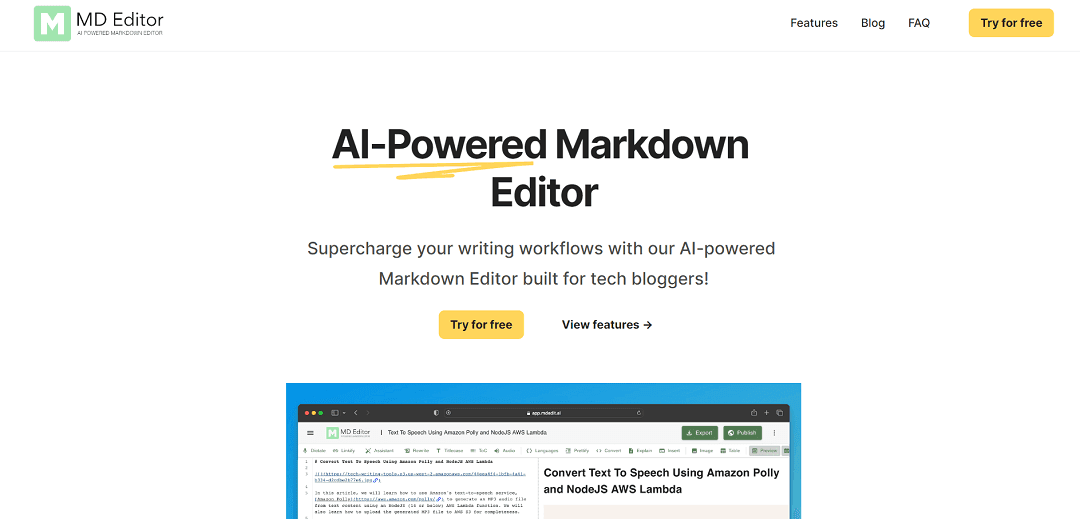
MD Editor is an innovative markdown editor built for tech writers, utilizing AI to enhance writing and streamline workflows. It offers smart features tailored for technical writing, including intelligent suggestions, formatting aid, and code highlighting. The tool can even generate initial blog drafts, complete with step-by-step articles, code snippets, and explanations. Users can choose formatting options like table of contents, audio, and article signatures. A standout function is its ability to spark ideas, helping overcome creative blocks during brainstorming. Writers can effortlessly organize ideas within the tool. Notably, the "Explain" feature aids in adding concise explanations to code snippets. The editor also supports auto-detection of code languages, one-click indentation, and syntax highlighting. Furthermore, it converts code to screenshots or Github Gists instantly. With features like voice dictation, error checks, and auto-completion, MD Editor boosts productivity and blog quality. It supports file import/export and direct publishing to platforms like Medium and Github. Overall, MD Editor offers a powerful suite of AI-powered tools tailored to tech bloggers' needs.
MD Editor
MD Editor is an innovative markdown editor built for tech writers, utilizing AI to enhance writing and streamline workflows. It offers smart features tailored for technical writing, including intelligent suggestions, formatting aid, and code highlighting. The tool can even generate initial blog drafts, complete with step-by-step articles, code snippets, and explanations. Users can choose formatting options like table of contents, audio, and article signatures. A standout function is its ability to spark ideas, helping overcome creative blocks during brainstorming. Writers can effortlessly organize ideas within the tool. Notably, the "Explain" feature aids in adding concise explanations to code snippets. The editor also supports auto-detection of code languages, one-click indentation, and syntax highlighting. Furthermore, it converts code to screenshots or Github Gists instantly. With features like voice dictation, error checks, and auto-completion, MD Editor boosts productivity and blog quality. It supports file import/export and direct publishing to platforms like Medium and Github. Overall, MD Editor offers a powerful suite of AI-powered tools tailored to tech bloggers' needs.
This page is meant to help with selection, not just discovery. Use it to decide whether the tool fits the workflow, what to compare next, and whether it deserves a real trial.
WhisperAiML take
These notes are here to make the page more useful as a buying and comparison surface.
Best fit
Use MD Editor when the main need is workflows and you want a tool-specific page instead of a generic directory listing.
WhisperAiML take
MD Editor is an innovative markdown editor built for tech writers, utilizing AI to enhance writing and streamline workflows. It offers smart features tailored for technical writ…
What to compare next
Compare MD Editor against Spoke and Airbook before deciding on price, setup speed, and workflow fit.
Related guides for this app category
Move from tool discovery into the evergreen explainers that help evaluate where this app fits, what workflow it supports, and what to compare it against.
Strong follow-on content for video, subtitles, dubbing, transcription, and publishing workflows.
Useful for design, image, visual generation, and creative-tool coverage.
Strong follow-on content for transcription, dubbing, subtitles, and media-production stories.